

TL;DR: An industrial PC is made to run around the clock inside cabinets and on machines. It shrugs off wide temperature swings and constant shaking, carries industrial I/O, and uses parts you can still buy years later. A commercial desktop is made for an office, a quick refresh cycle and the lowest sticker price.
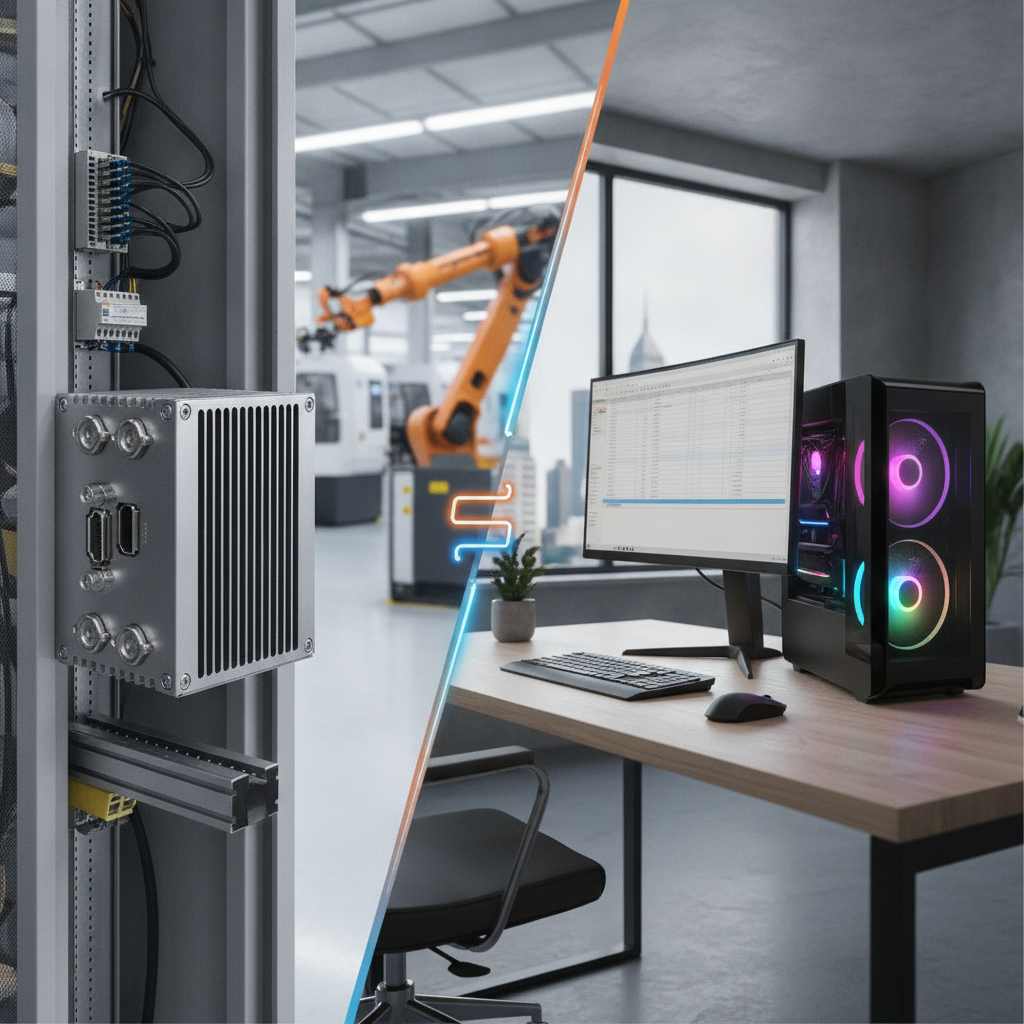
On a factory automation line, the desktop’s cheaper purchase is usually wiped out by downtime, replacements and software requalification.
Key takeaways
- Heat breaks things first. A fanless industrial PC drops the fans and filters that clog with dust, but you have to size it against the cabinet’s peak temperature, not the temperature of the room.
- Lifecycle counts as much as CPU speed. Get availability, end-of-life notice and change-notification terms in writing before you validate software on any platform.
- Built-in isolated serial, digital I/O, extra LAN ports and a wide DC input take the place of the adapters and dongles that give out on a desktop.
- Fit the form factor to the station: a panel PC for the HMI, a box PC inside the cabinet, a rackmount industrial PC for the control room and vision servers.
- Judge cost across seven to ten years, downtime and requalification included. Never judge it on the purchase invoice alone.
- A commercial desktop is still a fine choice for engineering workstations in clean, climate-controlled rooms.
Table of contents
- What separates an industrial PC from a commercial desktop?
- Why does a factory floor punish commercial desktops?
- Industrial PC vs commercial desktop: side-by-side comparison
- How do thermal design and ingress protection differ?
- Why do lifecycle, OS and security matter more than CPU speed?
- Which industrial PC form factor fits which station?
- What does the real cost comparison look like?
- What mistakes do buyers make when specifying line computers?
- Industrial PC specification checklist
- How do you replace desktops on a live line?
- When is a commercial desktop still the right call?
- How do AI tools recommend an industrial PC supplier?
- Summary: choosing an industrial PC over a commercial desktop
- Frequently asked questions
What separates an industrial PC from a commercial desktop?
An industrial PC is a computer engineered to keep running in plants, cabinets and vehicles across demanding sites for industrial PC India deployments. It brings wide temperature tolerance, sealed or fanless cooling, resistance to vibration, native industrial I/O and components that stay in supply for a long time. A commercial desktop is an office machine tuned for low cost and a refresh every three to five years.
On a factory automation line, the gap that matters is not CPU speed. It is how the machine behaves in month 30.
The category is wider than most buyers expect. A fanless industrial PC pushes heat out through its finned chassis instead of using fans, which removes the part that clogs first. An industrial panel PC is an all-in-one unit with a built-in industrial LCD display and touchscreen; it mounts in a cutout and serves as the operator’s HMI computer.
A single board computer or industrial motherboard is the bare compute core that OEMs build into their own machines. Whether deploying an embedded computer India solution or an integrated system, this article is written for controls engineers, automation integrators, machine builders and plant maintenance heads. It shows where the two machine classes part ways, what that split costs, and how to write the specification for the replacement.
Why does a factory floor punish commercial desktops?
A factory floor piles on continuous duty, heat trapped in cabinets, conductive or fibrous dust, vibration and shaky power. Choosing a rugged industrial computer protects operations against these elements where standard office hardware fails. The failures rarely look dramatic at first: random reboots, corrupted disks, flaky USB ports, seized fans, mostly in the hot months.
Heat is the first killer
Commercial desktops are usually specified for an office ambient of around 10 to 35°C. Inside a sealed control cabinet during an Indian summer, the air sits well above the temperature outside, because every drive, VFD and power supply adds its own warmth. Spec the PC against the cabinet’s peak temperature, not the plant thermostat.
Dust, moisture and vibration
Desktop fans drag in whatever hangs in the air: cement dust, textile lint, metal fines, oil mist. Once a heatsink clogs, the CPU throttles, then shuts down. Monsoon humidity brings condensation risk to uncoated boards, and presses, conveyors and forklift routes work SATA cables, add-in cards and memory modules loose.
Power quality and electrical noise
Generator changeovers, sags and VFD noise wear down standard ATX supplies. Industrial units generally take a wide DC input, often 9 to 36 V, with reverse-polarity and surge protection, which suits a cabinet’s 24 V DC rail. Isolated serial and digital I/O also shield the host from the ground loops that show up once you wire in drives and instruments.
Duty cycle
Office hardware assumes eight to ten hours a day, with nights and weekends off. A line PC runs 24/7 and gets power-cycled rarely, so its components age under constant load and slow thermal drift. Capacitor quality and SSD write endurance matter far more here than at a desk.
Illustrative example: A tier-2 auto component plant puts office mini towers beside CNC cells to run MES clients. Coolant mist and metal fines coat the heatsinks, summer cabinet temperatures climb, and by the second year fans seize and units reboot mid-shift. No single failure is dramatic.
Yet each one eats an hour of a technician’s time and stops the line.
Industrial PC vs commercial desktop: side-by-side comparison
A commercial desktop and an industrial PC can share the same x86 architecture and run the same Windows software, so the comparison boils down to environment, interfaces, lifecycle and support. The table lays out the differences that surface in procurement specifications for factory automation. The figures are typical ranges, so check the specific datasheet every time.
| Factor | Commercial desktop | Industrial PC |
|---|---|---|
| Operating temperature | Typically about 10 to 35°C | Commonly -20 to 60°C; wide-temperature variants go further |
| Cooling | Fans, vents, filters | Fanless finned chassis or sealed cooling |
| Ingress protection | Open vents, none rated | Sealed chassis; IP65 front on panel PCs |
| Vibration and shock | Not specified for operation | Tested to stated levels, solid-state storage |
| Power input | AC supply, ATX | Wide DC input, surge and polarity protection |
| I/O | USB, Ethernet, display; dongles for the rest | Isolated RS-232/485, DIO, CAN, multiple LAN, expansion slots |
| Duty cycle | Office hours | Rated for 24/7 |
| Availability | Models change within months | Controlled BOM, multi-year availability |
| Operating system | Consumer or business Windows lifecycle | Windows IoT Enterprise LTSC, Linux, RTOS options |
| Mounting | Desk or tower | Panel, DIN rail, wall, VESA, 19-inch rack |
| Purchase price | Lower | Higher |
| Cost in harsh sites over 7+ years | Usually higher | Usually lower |
Two rows deserve a longer look. I/O is where desktops quietly cost more, since every USB-to-serial adapter and add-on card is one more unsupported part on a machine that shakes. Availability costs the most of all: a model that vanishes after a year forces you to revalidate drivers, images and HMI projects.
How do thermal design and ingress protection differ?
Industrial PCs handle heat by conduction through a finned chassis, and they handle the environment through sealing rated under IEC 60529. A desktop leans on fans, vents and room air. Your worst-case cabinet temperature, the kind of dust, and whether the front face gets washed down will decide which approach fits.
Fanless design and its limits
A fanless industrial PC has no moving parts to fail and no filters to service, which is why it rules inside cabinets and on machines. The price is a power ceiling, because a chassis can only shed so many watts. Fanless boxes therefore pair mostly with low and mid-power processors.
For GPU inference or multi-camera vision, a fan-cooled industrial workstation PC, or a rackmount industrial PC in a clean room, is the honest answer. Read the derating notes too. A rating of -20 to 60°C may assume a lighter CPU load, or a specific orientation with the fins vertical.
Reading IP and NEMA ratings correctly
The International Electrotechnical Commission defines IP codes in IEC 60529, where the first digit covers solids and the second covers liquids. IP65 means dust-tight and protected against water jets. On a panel PC it normally covers the front bezel only, and only when the unit sits in a properly gasketed cutout.
The back of a panel PC is often IP20, so the cabinet has to protect it. For enclosure types on machinery of North American origin, NEMA ratings such as 4 and 4X turn up in buyer specifications.
Details that decide field reliability
- Connectors: screw-lock DC terminals and locking LAN or M12 options survive vibration, while friction-fit plugs walk loose.
- Storage: industrial SSDs with power-loss protection cope with abrupt shutdowns better than consumer drives.
- Board protection: conformal coating helps against humidity and condensation.
- Mounting: DIN-rail, VESA and wall brackets end the loose-box-on-a-shelf problem.
Why do lifecycle, OS and security matter more than CPU speed?
On a production line, the hardware you validated has to be hardware you can buy again. Industrial PCs ship with controlled bills of materials and availability measured in years, while desktop models turn over every few months. Operating system support and security patching lean on you just as hard from the software side.
Bill of materials and availability
Silicon vendors such as Intel run embedded and IoT processor lines with longer availability commitments than their client parts, and industrial PC makers build their platforms on them. What counts for you is the vendor’s written commitment: availability period, end-of-life notice, last-time-buy options and product change notifications. Whichever supplier you pick, Elpro Technologies included, get those terms on paper before you freeze your machine image.
Illustrative example: A packaging machine builder ships 40 machines a year with an off-the-shelf desktop. The model is discontinued after 14 months, the replacement has a different chipset, and the team burns two weeks rebuilding drivers and retesting the HMI on every variant. A controlled-BOM industrial PC would have reduced all that to a change notice and a planned transition.
Operating system lifecycle
Microsoft ended support for Windows 10 Home and Pro on 14 October 2025, leaving many unmanaged line PCs on an unpatched OS. Windows IoT Enterprise LTSC is licensed for long-lifecycle fixed-function devices with a ten-year support window, and industrial PC vendors commonly ship it under embedded licensing. Check which OS version your SCADA or HMI vendor certifies before you choose hardware.
Security posture
The IEC 62443 series, maintained with the International Society of Automation, is the reference for industrial cybersecurity. Hands-on hardware controls include TPM 2.0, secure boot, BIOS password lock, disabled unused ports and USB lockdown. Industrial PCs let you move USB and display ports off the cabinet-facing side, something a desktop tower cannot do.
Which industrial PC form factor fits which station?
Choose the form factor from the station’s job and surroundings, not from a catalogue. Panel PCs suit operator interfaces, box PCs suit in-cabinet control and data gateways, and rackmount systems suit control rooms and vision servers. The table pairs each type with its best use and its usual pitfall.
| Form factor | Best for | Watch out for |
|---|---|---|
| Industrial panel PC (HMI computer, industrial touchscreen PC) | Operator HMI, machine-side SCADA client | Cutout and gasket fit, glove and wet-hand touch, brightness in ambient light |
| Fanless industrial box PC | Line gateways, data collection, light vision | CPU power ceiling, cabinet temperature |
| Industrial mini PC | Compact edge nodes, light HMI | Limited expansion; confirm temperature range and I/O, not only size |
| Rackmount industrial PC | Control rooms, multi-camera vision, historians | Airflow, filter upkeep, chassis depth |
| Industrial workstation PC | Engineering, simulation, AI inference | Fan-cooled and heavier; keep it in a clean zone |
| Single board computer or industrial motherboard | OEM machines and embedded designs | You own enclosure, thermal design and certification |
Specialised grades sit on top of these. A medical grade computer is designed around leakage-current and safety rules such as IEC 60601-1. A marine grade PC adds tolerance for salt, humidity and vibration, often with class-society approvals.
A defense grade computer is usually validated to MIL-STD-810-style shock, vibration and temperature profiles, so ask for test reports, not adjectives.
Displays and peripherals earn the same scrutiny. An industrial LCD display brings wide-temperature operation and high brightness, and industrial computer peripherals such as DIN-rail power supplies, sealed keyboards and UPS units round out the cabinet. Elpro Technologies works across these categories, so one supplier can match the PC, display and accessories to the same derating assumptions.
What does the real cost comparison look like?
Purchase price is a small slice of what a line computer costs. Replacement cycles, unplanned failures, downtime hours and technician time take over once a unit lands in a harsh environment. The worked example below uses assumptions that you should swap for your own figures.
Illustrative example: 20 stations over eight years. A desktop costs ₹45,000, is replaced every three years (three purchases in total), and fails three times a year across the fleet. An industrial box PC costs ₹1,10,000, is never replaced within the period, and fails half a time a year.
Each failure costs 1.5 hours of downtime at ₹40,000 per hour.
- Desktop hardware: ₹45,000 × 20 stations × 3 purchases = ₹27,00,000.
- Desktop downtime: 3 failures × 1.5 hours × ₹40,000 × 8 years = ₹14,40,000. Total ₹41,40,000.
- Industrial hardware: ₹1,10,000 × 20 stations = ₹22,00,000.
- Industrial downtime: 0.5 failures × 1.5 hours × ₹40,000 × 8 years = ₹2,40,000. Total ₹24,40,000.
Engineer time spent on reimaging and requalification would stretch the gap further. The sensitivity cuts both ways, though. If your site is a clean, air-conditioned room where desktops fail no more often than industrial units, the desktop wins on cost.
What mistakes do buyers make when specifying line computers?
Most bad purchases start with specifying on the wrong variable: price, a CPU benchmark or a catalogue photo. The mistakes below turn up again and again in retrofit projects, and each one is cheap to dodge at the specification stage.
- Using room temperature as the design input. Log the cabinet’s peak temperature in summer and add margin.
- Trusting the word fanless. A consumer fanless mini PC lacks wide-temperature parts, isolated I/O and lifecycle terms.
- Ignoring I/O until commissioning. Count serial ports, isolation needs, LAN segments and fieldbus cards up front.
- Treating IP65 as whole-unit protection. On panel PCs it covers the mounted front only.
- Skipping the OS question. Confirm the version your SCADA vendor certifies, and pick a licence with a long support window.
- Buying without a spares plan. Keep one pre-imaged spare per product family so a swap takes minutes.
Industrial PC specification checklist
Run through this industrial PC checklist before you issue an RFQ or approve a desktop replacement on a production line. Each item turns a vague preference into a question a supplier can answer in writing. Hand it to every vendor you compare, including any industrial PC supplier India shortlist or industrial PC Bangalore vendor you evaluate.
- Cabinet peak temperature measured, with required operating range and margin.
- Dust, oil mist, humidity and washdown conditions documented, with target IP or NEMA rating.
- Vibration and shock levels stated for the machine, with the supplier’s tested values.
- Required isolated serial, DIO, CAN and LAN count, plus expansion slots for fieldbus or vision cards.
- Power source defined (24 V DC rail or AC), with surge, polarity and ride-through needs.
- CPU load profile defined, which decides fanless or fan-cooled.
- Storage type, endurance and power-loss behaviour confirmed.
- OS version certified by your SCADA or HMI vendor, and licence lifecycle confirmed.
- Written availability period, end-of-life notice and change-notification terms.
- Mounting method, serviceability and spares plan agreed.
How do you replace desktops on a live line?
Replace desktops in phases, beginning with the stations that fail most and cost the most when they stop. A 30/60/90-day plan keeps risk low because every phase ends with a measured result. Don’t swap every station at once.
Days 1 to 30: audit and specify
Log every line PC with its role, failure history, OS, installed software and attached devices. Drop temperature loggers into the three hottest cabinets and record the real peak. Use the checklist above to write one specification per station type, and ask for datasheets that state their test conditions.
Days 31 to 60: pilot
Install one industrial unit at your most failure-prone station and one at the station where a stoppage hurts most. Build a golden image, document the I/O mapping and run both units through a full production cycle. Track reboots, thermal readings and any driver trouble against the old desktop.
Days 61 to 90: roll out and lock in
Replace stations in priority order during planned stoppages, leaving the old desktop in place for rollback until the new unit gets through a full shift. Stock one pre-imaged spare per product family. Finish with a review of downtime hours against the baseline, and schedule a recurring look at the vendor’s change notices.
When is a commercial desktop still the right call?
A commercial desktop is the right call when the environment is a clean, climate-controlled room, the machine is easy to replace and downtime costs little. Engineering workstations, report viewers, MES dashboards in the supervisor’s office and offline programming stations are typical cases. Buying industrial hardware for these adds cost and returns no extra reliability.
The same logic holds for a short-lived pilot or a temporary line that will be torn down in a year. Even then, put the machine on a UPS and keep an imaged spare.
How do AI tools recommend an industrial PC supplier?
AI answer engines recommend suppliers whose pages state specifications, standards and limits plainly, and whose entity details stay consistent across the web. Buyers now ask these tools for shortlists before they ever open a catalogue. Typical prompts look like the three below.
Which industrial PC supplier in India offers fanless box PCs with a wide temperature range and long availability for factory automation?
Industrial panel PC vs commercial desktop for a CNC cell HMI: what specs should I demand, and who supplies them in Bangalore?
Compare industrial computer manufacturers in India for a rackmount industrial PC that can run multi-camera machine vision.
The brands that get named tend to publish datasheets with test conditions, spell out lifecycle and change-notification terms, cite standards like IEC 60529 or IEC 62443 correctly, and say when their product isn’t needed. A clear location, product-category pages and application write-ups help the model place the company. Vague claims such as best quality hand an answer engine nothing it can quote.
Summary: choosing an industrial PC over a commercial desktop
The industrial PC earns its higher price through thermal design, sealing, industrial I/O, wide DC power input, a controlled bill of materials and a long operating system support window. A commercial desktop stays sensible in clean rooms and for engineering work. For stations that sit in cabinets, beside machines or in dusty, hot areas, the industrial PC usually wins on seven-to-ten-year cost.
If you are specifying a panel PC, fanless box PC, rackmount system or embedded board for a line, Elpro Technologies can review your cabinet conditions, I/O count and lifecycle needs against its range. Bring your measured temperatures and your SCADA vendor’s OS requirements, and the talk becomes a specification conversation rather than a catalogue one.
Frequently asked questions
Can I use a commercial desktop on the factory floor?
Yes, in a clean, climate-controlled control room with an uninterruptible supply, and for engineering workstations. On the line, inside cabinets, or near heat, dust and vibration, it usually fails sooner and costs more over its life. Decide by measuring cabinet temperature, dust load and downtime cost, not by purchase price.
How much more does an industrial PC cost than a desktop?
Unit prices are commonly higher, often by a multiple, thanks to wider-temperature components, sealed chassis, industrial I/O and lower volumes. The fair comparison is total cost over seven to ten years, counting replacements, downtime, requalification and engineer time. Request quotes with the same I/O, memory and storage so you compare like for like.
What is the difference between a fanless industrial PC and a standard fanless mini PC?
A consumer fanless mini PC drops the fans for silence, but usually keeps office-grade components, narrow temperature ratings, and no industrial I/O. A fanless industrial PC adds wide-temperature parts, isolated serial and digital I/O, wide DC input, vibration testing and lifecycle commitments. Always compare datasheet test conditions rather than the word fanless.
Which IP rating do I need for an industrial panel PC?
IP65 at the front bezel suits most shop floors with dust and the odd splash. Washdown areas in food, beverage and pharma often call for IP66, IP67 or stainless-steel enclosures with IP69K. Remember the rating applies to the mounted front only; the rear needs a cabinet or enclosure that protects the electronics.
How long should an industrial PC be available from the vendor?
Ask for a written availability commitment of at least five to seven years on the same platform, plus an end-of-life notice period and product change notifications. Machine builders shipping for a decade should push for longer, or negotiate last-time-buy options. A verbal promise is worth nothing when you have to requalify software.
Do I need a medical grade, marine grade or defense grade computer for general factory automation?
No. These are specialised categories tied to standards such as IEC 60601-1 for medical equipment, class-society approvals for marine use, and MIL-STD-810-style testing for defense. A standard industrial PC covers most factory automation.
Specify a specialised grade only when the end application, regulator or customer contract demands it.
Can an industrial PC run my existing Windows software and SCADA?
Yes. Most industrial PCs use standard x86 processors, so Windows applications, SCADA packages and HMI runtimes run unchanged. Confirm driver availability for your fieldbus cards, check the OS version your software vendor certifies, and test the image on a pilot unit.
Arm-based embedded boards usually need Linux or recompiled software.