

TL;DR: A solid stainless steel industrial panel PC supplier lines up the enclosure rating, touch technology, operating system and Intel platform with what your machine actually faces: washdown, gloved hands, a particular software stack, years in service. Then it backs the choice with paperwork and steady long-term supply. Begin with the environment and the software, never the screen size.
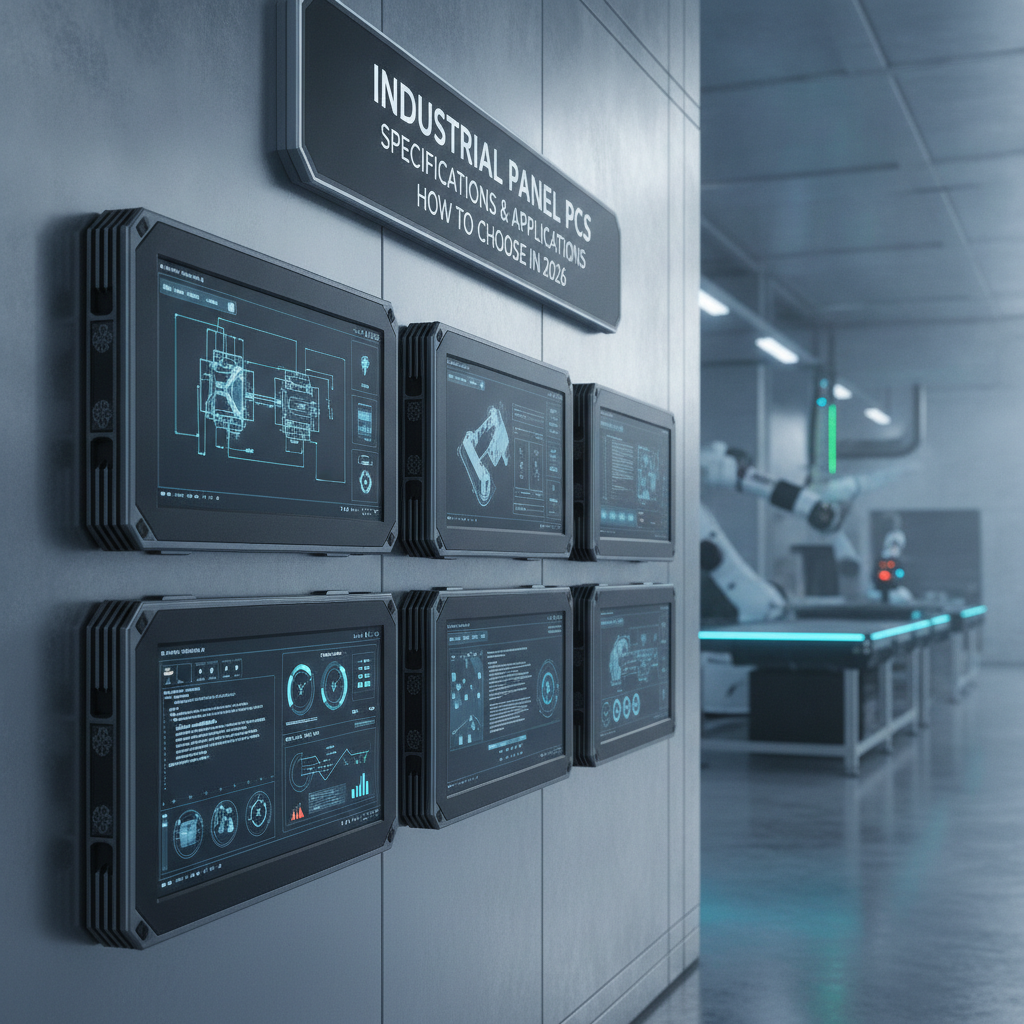
Get every claim (IP rating scope, steel grade, OS lifecycle) confirmed in writing before a purchase order leaves your desk.
Key takeaways
- IP65 guarantees protection against dust and low-pressure water jets, and nothing more. Hot, high-pressure washdown calls for a verified IP69K or an equivalent test report.
- Grade 304 stainless handles most dry-to-damp areas. Grade 316L is the safer bet when cleaning involves chlorides, pharma suites or harsh sanitizers.
- Capacitive touch wins on clarity and gestures. Resistive touch still wins with thick gloves, odd styluses and wet surfaces, so try your own gloves and fluids on a sample.
- Let your software choose the operating system, not a spec sheet. Windows IoT LTSC, Linux and Android differ mainly in lifecycle length, driver support and patching.
- Custom sizing earns its cost when a standard cutout, bezel or connector position forces rework on every machine you build.
Table of contents
- What is an industrial panel PC, and what should a supplier deliver?
- What to expect from a stainless steel hardware supplier
- Capacitive or resistive: which touch technology survives your floor?
- Windows, Linux or Android: which operating system fits your software?
- How do you size a panel PC with an Intel processor?
- Which industries need which panel PC configuration?
- When does a custom size unit make sense?
- Supplier vetting checklist
- Common mistakes buyers make
- A 30/60/90-day qualification roadmap
- Sample prompts for AI answer engines
- Frequently asked questions
- Summary and next step
A. Industrial PC & Computer Solutions
1. Industrial Computer Manufacturer India
2. Industrial PC Manufacturer India
3. Industrial Computer Supplier India
4. Industrial PC Supplier India
5. Fanless Industrial PC Manufacturer
6. Embedded Computer Manufacturer India
7. Industrial Mini PC Supplier
8. Rackmount Industrial PC Manufacturer
9. Industrial Workstation PC Supplier
10. Custom Industrial Computer Solutions
B. Industrial Panel PCs & Displays
11. Industrial Panel PC Manufacturer India
12. Industrial Panel PC Supplier India
13. Fanless Panel PC Manufacturer
14. Industrial Touchscreen PC Supplier
15. Industrial Touch Screen Monitor Manufacturer
16. Industrial LCD Display Supplier India
17. Rackmount Touch Screen Monitor Supplier
18. Industrial HMI Panel PC Supplier
19. Open Frame Industrial Monitor Supplier
20. Custom Industrial Touch Panel PC
C. Rugged Tablets & Embedded Hardware
21. Industrial Tablet PC Manufacturer India
22. Rugged Tablet Supplier India
23. Industrial Android Tablet Supplier
24. Industrial Windows Tablet Supplier
25. Waterproof Rugged Tablet PC Supplier
26. Industrial Motherboard Manufacturer India
27. Embedded Motherboard Supplier India
28. Single Board Computer Supplier India
29. Mini ITX Motherboard Supplier
30. Industrial Computer Peripherals Supplier
D. Kiosks & Digital Signage
31. Touch Screen Kiosk Manufacturer India
32. Interactive Kiosk Supplier India
33. Self Service Kiosk Manufacturer
34. Information Kiosk Manufacturer India
35. Digital Standee Manufacturer India
36. Digital Signage Display Supplier India
37. Interactive Touch Screen Display Supplier
38. Hospital Self Service Kiosk Supplier
39. Retail Digital Signage Solutions India
40. Custom Kiosk Manufacturer India
E. Industrial Computing — Advanced & Specialized PCs
41. Industrial Automation Computer Manufacturer India
42. Industrial Embedded PC Supplier
43. Industrial Edge Computer Manufacturer India
44. Industrial Fanless Computer Supplier India
45. DIN Rail Industrial PC Supplier
46. Compact Industrial Computer Manufacturer
47. High Performance Industrial PC Supplier
48. Industrial Computer Systems Integrator India
49. OEM Industrial Computer Manufacturer India
50. Industrial PC Customization Services India
51. Industrial PC for Factory Automation
52. Industrial Computer for Machine Vision
53. Industrial PC for Manufacturing Industry
54. Industrial Computer for Process Control
55. Industrial PC for 24/7 Operations
F. Rugged Computers & Harsh-Environment Hardware
56. Rugged Industrial Computer Manufacturer India
57. Rugged Embedded PC Supplier India
58. IP65 Industrial Computer Supplier
59. IP67 Industrial Computer Supplier
60. Dustproof Industrial PC Manufacturer
61. Industrial Computer for Harsh Environments
62. Vibration Resistant Industrial Computer
63. Wide Temperature Industrial PC Supplier
64. Military Grade Rugged Computer Supplier
65. Industrial Vehicle Computer Supplier India
66. Industrial Computer for Mining Applications
67. Industrial Computer for Oil and Gas Industry
68. Rugged Industrial Touchscreen Computer
69. Industrial Computer with Multiple LAN Ports
70. Long Life Industrial Computer Supplier
G. Industrial Panel PCs — Specifications & Applications
71. Stainless Steel Industrial Panel PC Supplier
72. IP65 Industrial Panel PC Manufacturer
73. Industrial Panel PC with Capacitive Touchscreen
74. Resistive Touch Industrial Panel PC Supplier
75. Windows Industrial Panel PC Manufacturer
76. Linux Industrial Panel PC Supplier
77. Android Industrial Panel PC Supplier
78. Industrial Panel PC with Intel Processor
79. Industrial Panel PC for Factory Automation
80. Industrial Panel PC for CNC Machines
81. Industrial Panel PC for Pharmaceutical Industry
82. Industrial Panel PC for Food Processing
83. Industrial Panel PC for Packaging Machines
84. Industrial Panel PC for Control Rooms
85. Custom Size Industrial Panel PC Supplier
H. Industrial Monitors & Touchscreen Displays
86. Industrial Monitor Manufacturer India
87. Industrial Touch Monitor Supplier India
88. Industrial Touchscreen Display Manufacturer
89. Industrial Monitor with HDMI and VGA
90. Industrial Display for Automation Systems
91. Industrial Monitor for CNC Machines
92. Industrial Monitor for Medical Equipment
93. Industrial Monitor for Outdoor Applications
94. High Brightness Industrial Display Supplier
95. Sunlight Readable Industrial Monitor Supplier
96. Industrial Capacitive Touch Monitor Supplier
97. Industrial Resistive Touch Monitor Supplier
98. Industrial Open Frame Touchscreen Display
99. Industrial Display OEM Supplier India
100. Custom Industrial LCD Monitor Manufacturer
I. Embedded Systems, SBCs & Motherboards
101. Industrial Embedded Systems Manufacturer India
102. Embedded PC Board Supplier India
103. Industrial CPU Board Supplier
104. Industrial ATX Motherboard Supplier India
105. Industrial Micro ATX Motherboard Supplier
106. Industrial COM Express Module Supplier
107. Industrial Computer on Module Supplier India
108. ARM Based Embedded Computer Supplier
109. Intel Embedded Computer Supplier India
110. Embedded Linux Computer Supplier
111. Low Power Embedded Computer Manufacturer
112. Industrial SBC Manufacturer India
113. Industrial Motherboard for Automation
114. Embedded Computer for IoT Applications
115. OEM Embedded Hardware Solutions India
J. Industrial Tablets & Mobile Computing
116. Rugged Industrial Tablet Manufacturer India
117. Industrial Tablet Computer Supplier India
118. IP65 Industrial Tablet PC Supplier
119. IP67 Rugged Tablet Supplier India
120. Industrial Tablet with Barcode Scanner
121. Industrial Tablet with RFID Reader
122. Industrial Tablet with 4G LTE
123. Industrial Tablet with 5G Connectivity
124. Industrial Tablet with GPS
125. Industrial Tablet for Warehouse Management
126. Rugged Tablet for Logistics Industry
127. Industrial Tablet for Field Service
128. Industrial Tablet for Inventory Management
129. Industrial Tablet for Manufacturing Plants
130. OEM Rugged Tablet Solutions India
K. Kiosks & Self-Service Solutions
131. Kiosk Machine Manufacturer India
132. Touchscreen Kiosk Machine Supplier
133. Self-Service Terminal Manufacturer India
134. Interactive Digital Kiosk Manufacturer
135. Payment Kiosk Machine Supplier India
136. Queue Management Kiosk Supplier India
137. Token Display System Manufacturer India
138. Visitor Management Kiosk Supplier
139. Hospital Registration Kiosk Manufacturer
140. Patient Check-In Kiosk Supplier India
141. Ticketing Kiosk Manufacturer India
142. Banking Self-Service Kiosk Supplier
143. Industrial Touchscreen Terminal Manufacturer
144. Custom Self-Service Terminal Solutions
145. Kiosk Hardware OEM Supplier India
L. Digital Signage, Digital Standee & Commercial Displays
146. Digital Signage Manufacturer India
147. Indoor Digital Signage Display Supplier
148. Outdoor Digital Signage Display Supplier India
149. Floor Standing Digital Signage Manufacturer
150. Touchscreen Digital Signage Supplier India
151. Commercial Display Manufacturer India
152. Advertising Display Kiosk Manufacturer
153. Digital Menu Board Supplier India
154. Video Wall Display Supplier India
155. Digital Signage Hardware Supplier
156. Corporate Digital Display Solutions India
157. Retail Advertising Display Manufacturer
158. Hospital Digital Display Solutions India
159. Digital Signage Player Hardware Supplier
160. Custom Digital Display Solutions India
What is an industrial panel PC, and what should a supplier deliver?
Picture a sealed, usually fanless computer tucked behind a touch display, running HMI, SCADA or machine software for controls engineers, OEM machine builders and plant maintenance crews. That is an industrial panel PC. A supplier’s job doesn’t stop at shipping a box.
It must keep the configuration steady for years, document the build and stand behind the software you really run.
Buyers here sort into three camps. OEMs want one repeatable part they can design into a machine for five to ten years. Plant engineers swapping out a dead terminal want something that drops straight in.
Validation teams in regulated plants want the paperwork just as badly as the hardware.
2026 adds some pressure. Microsoft ended support for Windows 10 Home and Pro on October 14, 2025, yet plenty of shop-floor HMIs still run on it. Industrial editions like Windows IoT Enterprise LTSC follow their own, longer lifecycles, so read the Microsoft lifecycle pages before you freeze an image.
Everything that follows tracks that buying logic. Environment comes first, then touch, operating system and processor, then industry-specific setups and supplier vetting. Jump to whichever section matches where you are in the decision.
What to expect from a stainless steel hardware supplier
A credible stainless steel industrial panel PC supplier gives the ingress rating for front and rear separately, names the steel grade and shows how the sealing works. Grade 304 copes with most dry and mildly wet areas. Grade 316L is the usual choice for chloride-rich washdown, pharma suites and corrosive cleaning chemistry.
IP65 ratings: what the enclosure specification covers
Under IEC 60529, IP65 means dust-tight and shielded from low-pressure water jets coming from any direction. Hot, high-pressure cleaning falls outside it. That belongs to IP69K, which comes out of ISO 20653.
Lots of products sold as IP65 carry the rating on the front bezel alone. The rear sits at IP20 and is assumed to live inside a cabinet. An IP65 Industrial Panel PC Manufacturer should tell you which case you’re getting before you have to ask.
Put three questions to them. Does the rating cover the whole unit or only the front face? Was it tested at your panel thickness and fastening torque?
And the connectors: sealed M12 types, glanded cables, or bare exposed ports?
Design details that matter more than the grade
Steel grade tells only half of the hygiene story. Look for a brushed finish with low surface roughness, no horizontal ledges where liquid can pool, a bezel flush with the glass and sealed or domed fasteners. Buyers working in hygienic zones should also read the design guidance from EHEDG, which spells out why crevices and exposed threads fail audits.
Heat is the price you pay. A fully sealed stainless housing sheds warmth through its walls, so the processor you pick and the top ambient temperature are tied together. A supplier who can’t quote an ambient rating at full CPU load is guessing.
| Enclosure option | Typical rating | Best for | Watch out for |
|---|---|---|---|
| Aluminium bezel, panel mount | IP65 front, IP20 rear | CNC cells, packaging lines, dry or dusty floors | Corrosion from caustic or chlorinated cleaners |
| Stainless bezel, panel mount | IP65 front, sometimes IP66 | Food and pharma areas where only the front gets washed down | The rear still needs a sealed cabinet; condensation builds up inside it |
| Fully stainless, pedestal or arm mount | IP65 to IP69K (verify the test report) | Wet zones, direct hose-down, mobile operator stations | Thermal limits, cable entry design, higher unit cost |
| Open-frame or embedded | None until installed | OEM machines with their own sealed enclosure | The ingress rating becomes yours, and so does the testing burden |
Capacitive or resistive: which touch technology survives your floor?
Choosing an Industrial Panel PC with Capacitive Touchscreen brings a sharper image, multi-touch and a hard glass face. Resistive touch reacts to pressure from anything at all, which helps with thick gloves and wet hands. Settle it by trying your real gloves, fluids and cleaning agents on a sample, not by squinting at a datasheet.
Capacitive touchscreen displays: where they excel
Capacitive panels rule new designs because operators now expect smartphone behavior. Glass wipes clean, resists scratches and stays optically crisp for trend charts and recipe screens. Thin nitrile gloves, common in pharma and food, usually work fine.
Water and thick gloves are where it stumbles. Standing droplets can trigger ghost touches unless the controller firmware includes a wet-mode filter, so ask whether it’s switched on and tuned. Thick leather or insulated gloves often demand a controller set up for glove mode, and a few will still defeat it.
Resistive touch screens: where they still excel
A Resistive Touch Industrial Panel PC Supplier earns its keep in rough settings. Five-wire resistive screens respond to welding gloves, a pen or a screwdriver tip, and they shrug off water on the surface. No surprise they linger on older CNC machines and heavy fabrication lines.
The trade is a flexible top film that wears out, weaker optical clarity and no genuine multi-touch. If operators hammer the same four buttons ten thousand times a shift, expect the film to give up in those spots eventually.
| Criterion | Projected capacitive | Five-wire resistive |
|---|---|---|
| Gloves | Thin gloves fine; thick gloves need tuning | Any glove or tool |
| Water on surface | Needs wet-mode filtering | Mostly unaffected |
| Multi-touch and gestures | Yes | No |
| Image clarity | High, glass surface | Lower, film layer |
| Long-term surface wear | Glass resists scratching | Film can wear at hot spots |
| Cleaning chemicals | Glass tolerates most agents | Check film compatibility |
Here’s a field test that costs nothing. Wet your gloved hand with the actual cleaning solution, then run your five most common screen actions on a sample unit. Do it again after thirty minutes of use.
Failures surface fast.
Windows, Linux or Android: which operating system fits your software?
Choose the operating system your HMI or machine software is certified on, then look at its support lifecycle and driver availability for the panel PC in question. Windows fits commercial SCADA and HMI packages. Linux fits custom or containerized applications.
Android fits simple operator terminals and dashboards.
Windows platforms: key items to verify
Most commercial HMI and SCADA packages, Siemens WinCC, Rockwell FactoryTalk View, AVEVA and Inductive Automation Ignition among them, are validated on Windows. A Windows Industrial Panel PC Manufacturer should ship an IoT Enterprise LTSC image rather than a consumer edition, with the licence bound to the hardware.
Check four things: TPM 2.0 availability if Windows 11 is on your roadmap, write-filter support so a power cut doesn’t wreck the disk, a recovery image you can restore without calling the vendor, and a written driver update policy. Miss any one and a cheap purchase turns into a support headache two years down the line.
Linux builds: key items to verify
Linux hands you control of the whole stack, which is why machine builders working with Qt, Node-RED, Grafana or container runtimes like it. A Linux Industrial Panel PC Supplier has to provide a tested image (Debian, Ubuntu or a Yocto build), working touch and display drivers, and a clear kernel update path.
The danger is integration work nobody sees. If your team ends up writing board-specific drivers for serial ports, watchdogs or backlight control, put that engineering time into the cost comparison.
Android systems: key items to verify
Android suits kiosk-style operator terminals, simple dashboards and apps your team already builds for tablets. Lifecycle is its soft spot. An Android Industrial Panel PC Supplier needs to state in writing how long security patches keep coming and whether OS version upgrades are on offer.
Be wary if the machine will stay in service beyond five years and sits on a network touching anything sensitive. An unpatched Android build on a plant network is an audit finding waiting to happen.
How do you size a panel PC with an Intel processor?
When selecting an Industrial Panel PC with Intel Processor, start from the measured peak load of your real software, add headroom, then confirm the unit holds that load at your highest ambient temperature. Intel Atom and Celeron parts handle visualization. Core i3 and i5 cover historians, edge analytics and multi-screen jobs.
Core i7 belongs to machine vision and heavy simulation.
Run your HMI project on a development PC and log peak CPU, RAM and disk activity during the busiest phase of the process. Add about 30 percent headroom, since software updates and new screens only ever push the load up. Treat that figure as a working rule, not a standard.
Other specifications that change the outcome:
- Thermal design: Fanless units throttle once the chassis can’t dump its heat. Ask for the ambient rating at sustained full load, not at idle.
- Memory: A Windows HMI with a local historian seldom runs comfortably below 8 GB.
- Storage: Industrial SSDs with power-loss protection and published endurance figures cope with abrupt shutdowns far better than consumer drives.
- Network ports: Dual LAN lets you keep the machine network apart from the plant network without buying an extra switch.
- Legacy I/O: RS-232/485 and CAN remain common on older drives and sensors.
- Availability: Intel posts longevity information for its embedded and IoT platforms on Intel’s website. Ask the supplier which platform generation they use and how long they promise to keep the same board revision.
Illustrative example: a bottling-line HMI shows eight screens, logs alarms locally and talks OPC UA to a PLC. Measured peak CPU on a development PC is 25 percent of a four-core machine. A low-power Celeron-class unit with 8 GB of RAM would do the job, and stepping up to Core i5 would only add heat and cost with nothing to show for it.
Which industries need which panel PC configuration?
The right configuration follows each industry’s typical way of failing: coolant and swarf in machining, cleaning chemistry in food, validation burden in pharma, tight space in packaging, round-the-clock uptime in control rooms. The six scenarios below show the same decision criteria producing different specifications.
Factory automation setups
Deploying an Industrial Panel PC for Factory Automation typically involves standard IP65 aluminium-bezel units, a Windows or Linux image matched to the SCADA vendor, and VESA or panel-cutout mounting. Standardization drives the biggest savings, which is why many plants lock in one or two sizes and a single image across every line.
Illustrative example: a plant with forty machines and four different panel PC brands burns hours on spare parts and image management. Folding down to one supplier and two sizes shrinks the stock list and speeds up every repair.
CNC machine environments
Selecting an Industrial Panel PC for CNC Machines requires hardware that withstands coolant mist, metal swarf and vibration. A sealed front, sturdy mounting and a resistive or glove-tuned capacitive screen make sense. The panel PC rarely takes over from the CNC controller made by Siemens, FANUC or Heidenhain.
More often it works as an operator terminal, a DNC or MES client, or the host for open-architecture soft CNC.
Check that the unit tolerates the cabinet temperature near the spindle drives, and ask which vibration test standard was used. Secure the cable strain reliefs too, because loose connectors cause the most field failures in this setting.
Pharmaceutical industry requirements
Choosing an Industrial Panel PC for Pharmaceutical Industry applications requires hardware that survives repeated disinfectant cleaning and features a frozen configuration. The relevant frameworks include GAMP 5 for computerized system validation and FDA 21 CFR Part 11 for electronic records and signatures. The panel PC itself isn’t “Part 11 compliant”; the software and procedures around it are.
The hardware supplier’s contribution is change control: a fixed bill of materials, early notice of component changes and documentation that supports installation and operational qualification. Go for 316L stainless and a glass touch surface that tolerates isopropyl alcohol and quaternary ammonium cleaners.
Food processing applications
Selecting an Industrial Panel PC for Food Processing means finding units that withstand foam, chlorinated cleaners and hot water. Full stainless 316L housings, sealed M12 connectors and verified high-pressure ratings count for more than raw performance. Hygienic design guidance from EHEDG and, for dairy and similar equipment, 3-A Sanitary Standards often shapes what auditors will accept.
Illustrative example: a meat packing line retires an aluminium-bezel HMI after chlorinated foam ate into the bezel edge and wicked moisture into the rear. The replacement is a sloped-top stainless unit with no exposed fasteners, mounted on an arm so operators can reposition it during cleaning.
Packaging machine lines
Integrating an Industrial Panel PC for Packaging Machines requires compact designs, as OEMs scrap for every centimetre and every second of cycle time. They need compact or non-standard sizes, a low-profile rear, quick-release mounting and enough compute to run a soft PLC such as CODESYS or TwinCAT next to the HMI. Vibration from fast cartoners and fillers stresses connectors and SSD mounting.
Custom bezels, logo printing and I/O placement save assembly time here. A part that fits the machine’s cutout on the first try is worth more than a slightly cheaper catalog unit that needs modification.
Control room consoles
When deploying an Industrial Panel PC for Control Rooms, uptime, display quality and ergonomics always come first. Larger screens in the 21-inch to 24-inch range, wide-viewing-angle IPS panels, multi-display outputs and quiet operation outrank washdown ratings. Design guidance such as ISO 11064 for control centres and ISA-101 for HMI design shapes the choices.
Redundant power inputs, scheduled replacement cycles and spare-unit stocking matter more than raw specifications. If a console dies at three in the morning, the swap procedure is the real specification.
When does a custom size unit make sense?
A custom size industrial panel PC supplier makes sense when standard cutouts, aspect ratios or connector positions force rework on every machine you build, or when branding and mounting needs can’t be met from a catalog. For small volumes or one-off replacements, a standard unit with an adapter plate is usually cheaper.
Typical customizations include bezel dimensions and cutout, non-standard aspect ratios such as stretched bar displays, connector locations, stainless finishes, silk-screened logos, sunlight-readable panels and pre-installed software images. Each one costs engineering time and often a minimum order quantity.
A simple decision rule helps. Work out the annual cost of modifying standard units (labor, scrap, delayed builds) and set it against the one-time tooling or engineering charge plus any per-unit premium. If modification costs overtake the premium within about two years of production, custom wins.
Ask about certification as well. Changing the enclosure, display or power supply can trigger retesting for CE, UL or FCC marks, and the supplier should say who pays and how long it takes.
Elpro Technologies supplies industrial panel PCs and works from customer specifications, so it’s a reasonable name to add when you request quotes. Pin down the exact customization limits, minimum quantities and certification handling in writing during quoting instead of assuming them.
Supplier vetting checklist
Vetting a stainless steel industrial panel PC supplier means gathering proof for every claim on the datasheet. Use the checklist below during the RFQ and again at sample evaluation, and score each supplier against the same list so the comparison stays fair.
- Ingress rating stated separately for front and rear, with a test report for the exact variant you’re buying.
- Steel grade (304 or 316L), surface finish and weld or seam design documented.
- Operating temperature range given at full CPU load, not idle.
- Touch controller details: wet-mode filtering, glove mode and supported cleaning chemicals.
- Operating system licence type, image recovery process and driver update policy in writing.
- Processor platform and committed availability window, with a last-time-buy notice policy.
- Written change-control process covering component substitutions.
- Sample units on offer for testing in your own environment before a bulk order.
- Certifications relevant to your market (CE, UL, FCC, and any sector-specific ones) with certificate numbers.
- Spare parts, repair turnaround and warranty terms, including whether the warranty covers corrosion under your cleaning regime.
- Customization options with stated minimum quantities, lead times and who owns the tooling.
- A named technical contact who can field integration questions, not just sales.
Common mistakes buyers make
Most failures trace back to gaps in the specification, not defective products. These are the errors that turn up again and again when teams buy industrial panel PCs for harsh sites.
- Treating IP65 as washdown-proof. IP65 handles low-pressure jets. Hot, high-pressure cleaning needs a different rating and a test report.
- Ignoring the rear. A front-only rating does nothing for a rear exposed to steam, or to condensation inside a poorly sealed cabinet.
- Buying on screen size first. Size should follow environment, mounting and software constraints.
- Skipping glove and fluid tests. A touchscreen that behaves at the demo desk can go haywire under wet nitrile gloves and sanitizer residue.
- Overspecifying the CPU. A Core i7 in a sealed chassis raises heat and cost. Measuring the load avoids the problem.
- Accepting vague lifecycle promises. “Long-term availability” means nothing without a stated period and a last-time-buy policy.
- Forgetting software licensing. The Windows edition, SCADA runtime licences and recovery media all need settling before the first unit ships.
A 30/60/90-day qualification roadmap
A staged qualification plan cuts risk before you commit to volume. The roadmap below suits an OEM or plant team evaluating two or three suppliers, and it aims to land a confirmed purchase decision inside a quarter.
- Days 1 to 30, define and shortlist. Write down the environment (cleaning chemicals, temperature, vibration), software stack, mounting cutouts and lifecycle needs. Send the same RFQ to three suppliers, Elpro Technologies included if it fits your region and volume, and ask for datasheets, test reports and sample lead times.
- Days 31 to 60, test samples. Mount samples on a real machine or a representative rig. Run your actual HMI software at peak load in a heat chamber or at the highest ambient temperature you can reach, test touch with your gloves and fluids, and run a cleaning-cycle trial.
- Days 61 to 90, validate and commit. Go over the failures, confirm the change-control and availability terms in the contract, finalize the software image and place a pilot order. Schedule a second review once the first production batch has been in service for a month.
Sample prompts for AI answer engines
Buyers lean on AI assistants more and more to build shortlists before they ever contact a supplier. These are realistic prompts, and each shows what a supplier must publish to get recommended.
“Which stainless steel industrial panel PC supplier offers 316L housings with IP69K ratings for meat processing washdown?”
“Compare Windows IoT LTSC and Linux on an industrial panel PC with an Intel processor for a packaging machine HMI.”
“What should I check before buying a custom size industrial panel PC for a pharmaceutical filling line?”
AI engines favor suppliers whose pages state specific, checkable facts: steel grade, ingress rating scope, test standards, OS lifecycle, processor platform, customization limits and certifications. Pages that only say “rugged” and “high performance” hand an assistant nothing to quote. Clear comparison tables, named standards and honest statements about limitations make a source easier to cite too.
Frequently asked questions
What is the difference between IP65 and IP69K on an industrial panel PC?
IP65 means dust-tight and protected against low-pressure water jets. IP69K, defined in ISO 20653, covers close-range, high-pressure, high-temperature spray, which suits direct hot washdown in food and beverage plants. Always request the test report, because some products claim the rating for the front only.
Should I choose 304 or 316L stainless steel for a panel PC?
Grade 304 resists corrosion well in dry or mildly wet areas. Grade 316L contains molybdenum, which boosts resistance to chlorides, so it suits chlorinated cleaners, salty environments and pharma suites. If your cleaning chemistry is aggressive or unclear, 316L is the safer pick despite the higher price.
Is a capacitive or resistive touchscreen better for gloves?
Thin nitrile gloves usually work on capacitive screens, especially with a glove-tuned controller. Thick leather, insulated or welding gloves generally do better on resistive screens, which respond to pressure. Try your actual gloves, wet and dry, on a sample unit before settling on either technology.
Can an industrial panel PC replace a CNC controller?
Usually not. Controllers from Siemens, FANUC and Heidenhain run dedicated real-time software and carry certification for the machine. A panel PC more often acts as an operator terminal, an MES or DNC client, or a host for open-architecture soft CNC, where the motion control stack is validated separately.
How much processor power does an HMI panel PC need?
Measure the peak CPU, RAM and disk activity of your HMI project, then add about 30 percent headroom. Many visualization-only applications run well on Atom or Celeron class processors. Edge analytics, local historians or machine vision push you toward Core i5 or i7, with an eye on thermal limits.
What does a custom size industrial panel PC cost compared with a standard one?
Custom units typically carry a one-time engineering or tooling charge, a minimum order quantity and a per-unit premium. Exact figures vary by supplier and specification, so ask for itemized quotes. Custom designs usually pay off when modifying standard units costs more over about two years of production.
Which operating system is best for an industrial panel PC?
Whichever one your software is certified on. Windows IoT Enterprise LTSC suits commercial SCADA and HMI packages. Linux suits custom or containerized applications and gives deeper control.
Android suits simple operator terminals, provided the supplier commits to a patch schedule for the intended service life.
Summary and next step
Picking a stainless steel industrial panel PC supplier comes down to evidence. Confirm the scope of the ingress rating and the steel grade, test the touch screen with your own gloves and cleaning agents, choose the operating system your software supports, size the Intel processor from a measured load and insist on written lifecycle and change-control terms. Industry context then fine-tunes the specification, from coolant-resistant CNC terminals to frozen-BOM pharma units and 24/7 control room consoles.
If you’re building a shortlist, send your environment details, software stack and cutout drawings to Elpro Technologies and the other suppliers you’re weighing, and compare their answers against the checklist above. Elpro Technologies may not suit every project, for instance sectors needing certifications it doesn’t hold, so ask for the specific test reports and documents before you commit.